
 Dynamics 365 Copilot AgentPaid
AI Requirements Bridge
By cdm IT & Consulting Services GmbH
No reviews yet
Paid
Business Central
About this Agent
Turn rough feature ideas into developer-ready specification documents with an AI-guided dialog.
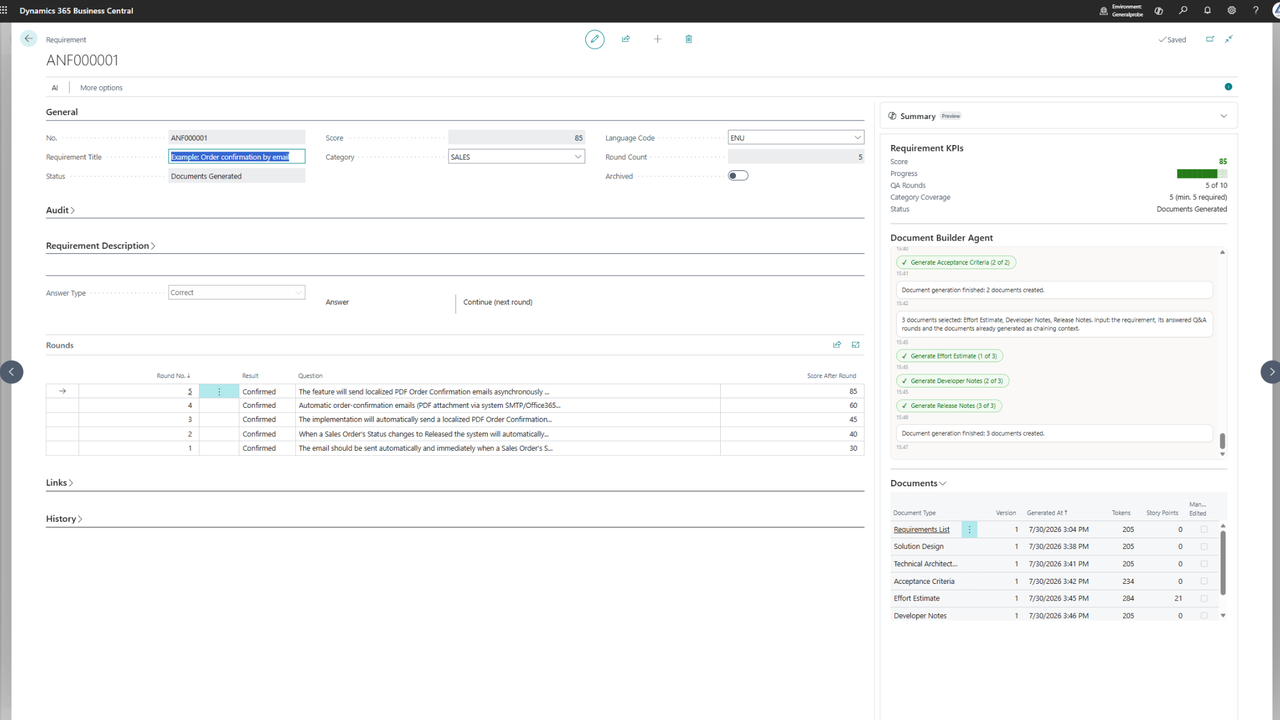
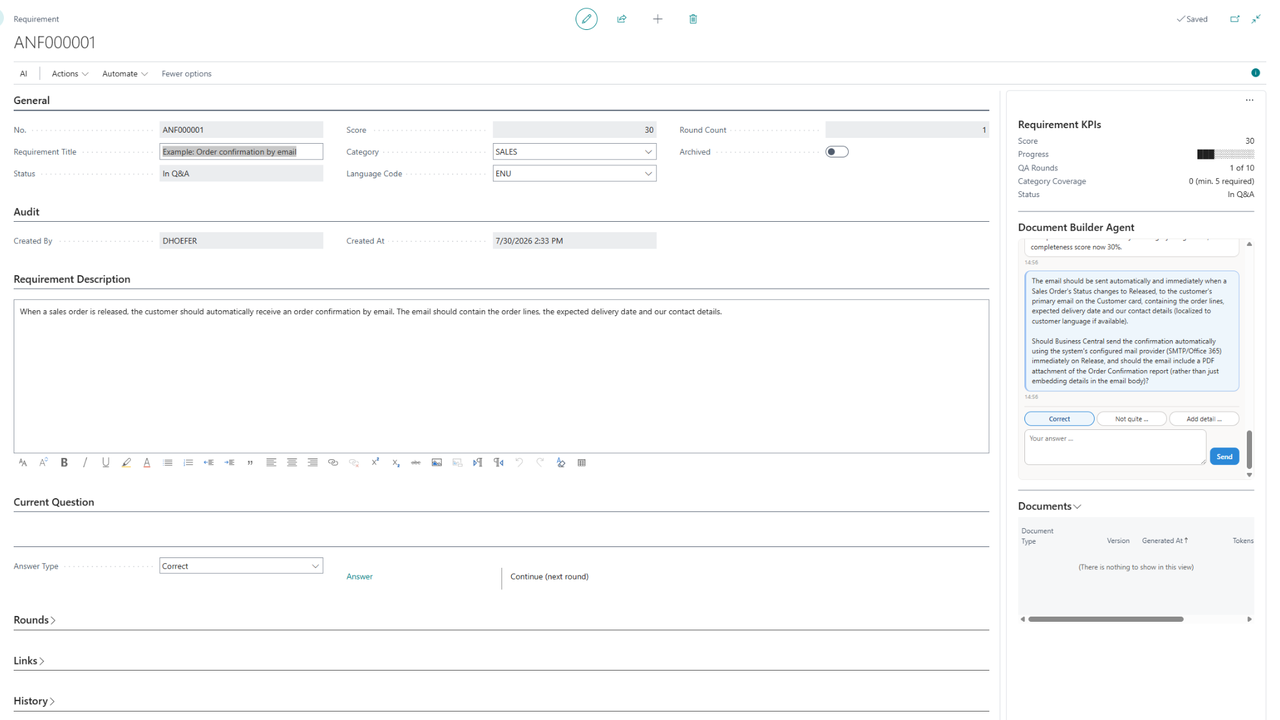
Turn rough feature ideas into complete, developer-ready specifications without leaving Microsoft Dynamics 365 Business Central. This AI-guided Copilot Agent walks business users through a structured Q&A dialog, scores each requirement for completeness, and generates a coordinated document package you can send to a development partner as a quote request in one step. It closes the gap between what a business team imagines and what a developer actually needs to build.
Key Capabilities
- AI-guided requirements dialog — captures feature ideas in the user's own words, links them to relevant Business Central objects, and asks targeted follow-up questions across defined requirement categories.
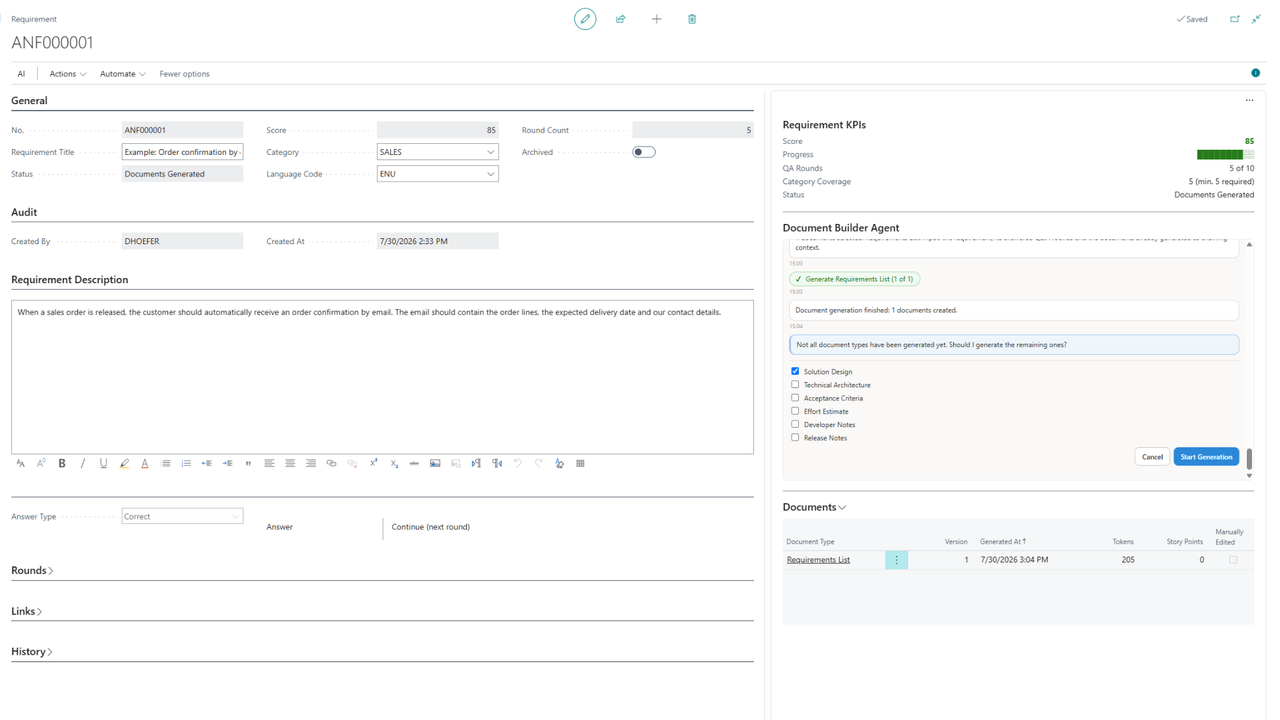
- Completeness quality gate — every requirement is scored, and documents are only generated once the configured threshold is reached, with at least five categories covered across up to ten dialog rounds.
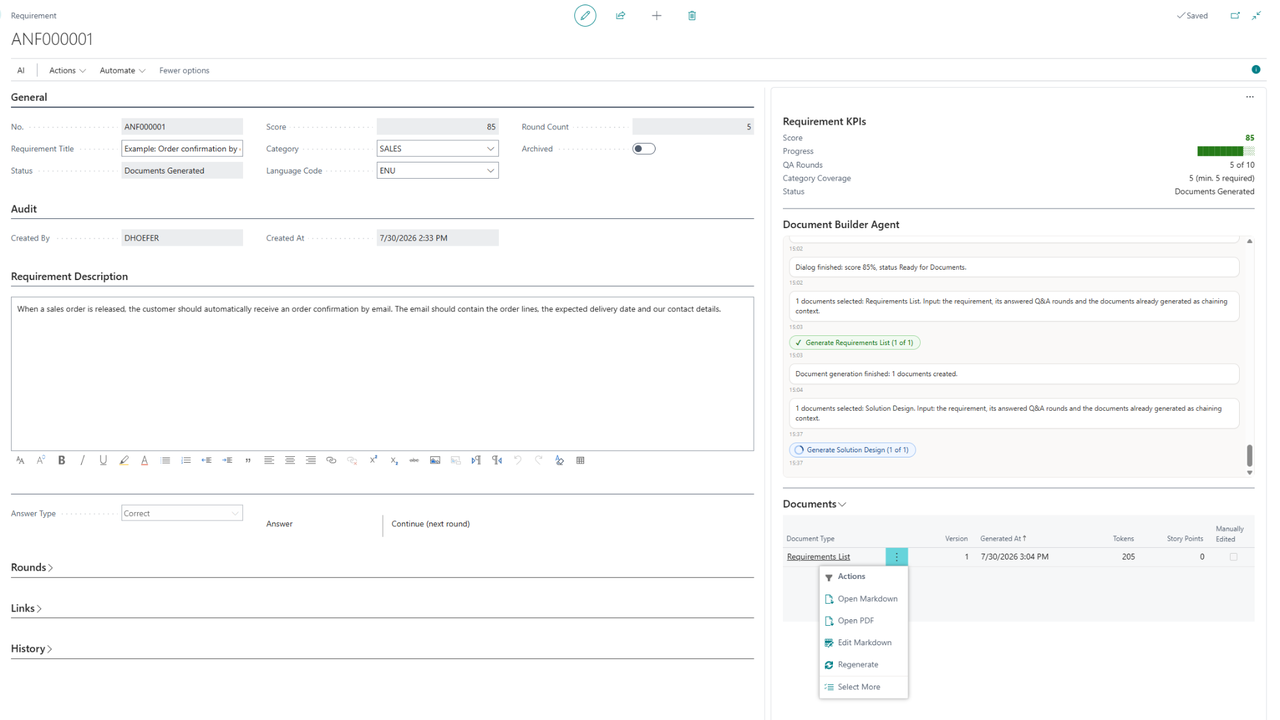
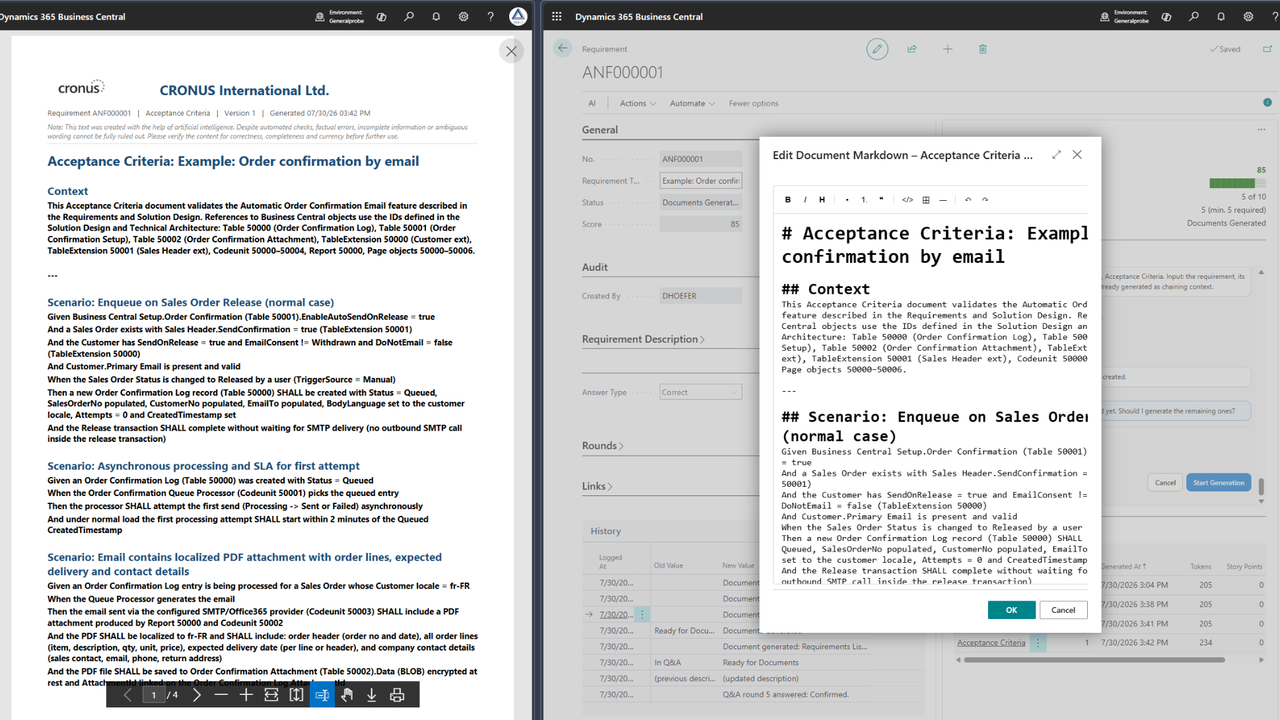
- Seven coordinated document types — requirements list, solution design, technical architecture, acceptance criteria, effort estimate, developer notes and release notes, each building on the previous ones for consistency.
- One-click quote request — sends the full package as PDF email attachments, reviewable in the email editor and logged in the requirement history.
- Built-in editing and audit trail — Markdown editor, Markdown and PDF output, manual review of every document, and a full record of changes.
- Flexible AI billing — runs on Microsoft-billed Business Central AI resources by default, or bring your own Azure OpenAI, OpenAI or Anthropic subscription.
Integration & Compatibility
Built for Dynamics 365 Business Central, the agent works with your existing records and objects and generates all output inside Business Central. It is available for Business Central online on Essentials and Premium editions, with English and German language support. On-premises installations are supported through the Custom Billed option, which requires your own AI subscription. By default it uses the Microsoft-billed Business Central AI resources, so no separate AI subscription is needed to get started.
Who It's For
Ideal for SMBs running Business Central that regularly commission customizations or extensions and want to stop losing time to incomplete or ambiguous feature requests. It suits business analysts, project managers, operations leads and internal IT teams who need to hand clear, consistent specifications to developers or external partners — and procurement or finance staff who want a documented, auditable path from idea to quote request.
Screenshots
Reviews
Review AI Requirements Bridge
Need Help Implementing?
AI Requirements Bridge may require a certified Dynamics 365 partner for implementation and customization. Browse our directory to find partners who specialize in Business Central.
Find a Certified PartnerAre you the publisher of this agent?
Claim your profile for cdm IT & Consulting Services GmbH to manage sponsorships, respond to reviews, and more.
Claim Your ProfileView on MarketplaceFind an Implementation PartnerDynamics 365 Copilot Agent

Type
Dynamics 365 Copilot AgentCategories
IT & DevelopmentProject ManagementDocument Management
D365 Products
Business Central
Version
1.0.32.0
Last Updated
Aug 31, 2026